Charging power
See at a glance whether the wallbox is charging and how much power is flowing right now.
Vista-Board can turn a Raspberry Pi or Linux mini PC into a wall display for Tesla battery state, wallbox charging power, PV solar data and electricity prices. No more opening several apps just to know whether the car is ready.
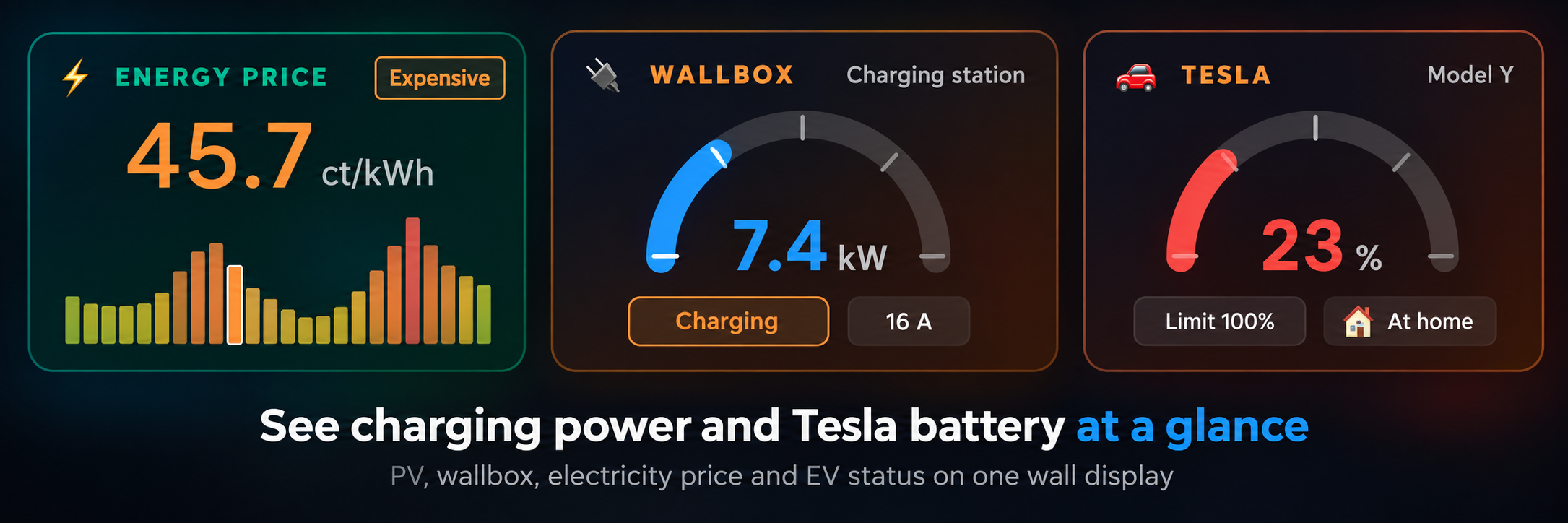
See at a glance whether the wallbox is charging and how much power is flowing right now.
Show the battery percentage, range and charging state where everyone can see it: hallway, kitchen, utility room or garage entrance.
Combine EV status with PV production, home battery, grid import/export and electricity prices for a clearer charging decision.
The Tesla app is useful, but it still requires a phone, unlock, app open and several taps. A wall display solves a different problem: it makes the status visible while you walk past.
That is especially helpful when the car charges at home. You immediately see whether it is charging, whether the battery level is enough for tomorrow and whether charging now makes sense with your current energy price or PV production.
Yes. When Tesla is connected in the settings, Vista-Board can show battery percentage, estimated range and charging status.
Yes. Wallbox charging power can be shown alongside the Tesla battery state, depending on your configured wallbox and energy setup.
No. The Tesla app remains the control app. Vista-Board is meant as a visible status display, so the most important values are available at a glance.
Yes. Tesla, PV, wallbox and electricity prices are optional. Vista-Board can also be used as a family calendar, weather display and photo dashboard.
If you want one wall display for Tesla battery state, charging power, PV energy and family information, Vista-Board is built for exactly that use case.