Calendar-first
Show Google Calendar, Apple iCloud, Outlook, school calendars, Nextcloud and other iCal/ICS feeds together on one permanent wall screen.
Vista-Board turns a Raspberry Pi or Linux mini PC into a clean wall-mounted calendar display for Apple iCloud, Google Calendar, weather, photos and optional energy data such as PV solar production, Tesla battery state, wallbox status and electricity prices. It runs locally in your home and is designed to stay visible all day.
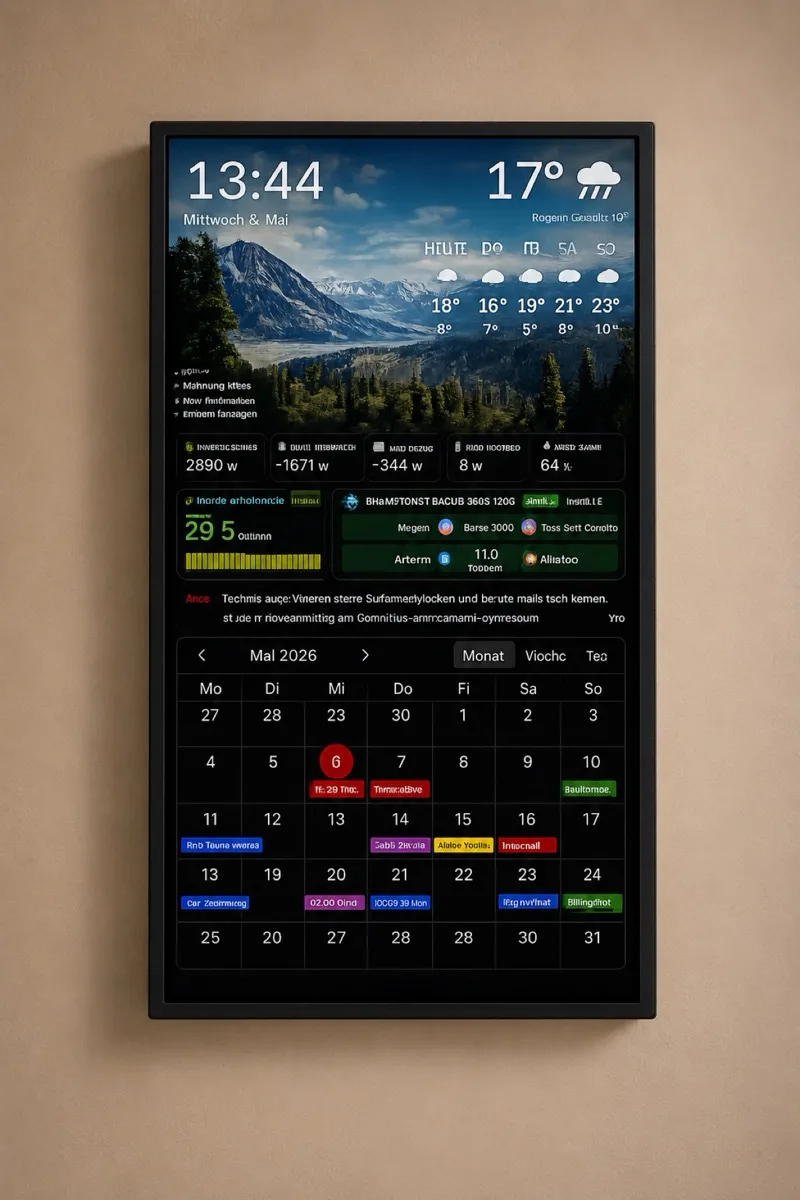
Show Google Calendar, Apple iCloud, Outlook, school calendars, Nextcloud and other iCal/ICS feeds together on one permanent wall screen.
Vista-Board runs on your Raspberry Pi or Linux mini PC. Calendar and dashboard data stay under your control instead of being managed through a proprietary display cloud.
Add weather, photos, reminders, RSS/news, PV solar production, Tesla battery state, wallbox status and electricity prices when you want a full home dashboard.
A phone calendar is useful, but it is personal and hidden in a pocket. A wall calendar display solves a different problem: it gives the whole family one shared view before the day starts.
A Raspberry Pi is quiet, small, affordable and easy to mount behind a monitor. There is no tablet battery pressed against a wall, no app store lifecycle, and no need to unlock a device whenever someone wants to see today’s appointments.
Combine iCloud, Google Calendar, Outlook, school schedules and shared calendars with individual colors.
Show current weather, forecast, sunrise, sunset and daily context next to appointments.
Use the screen as a calm digital photo frame between information views.
For solar and EV households, Vista-Board can display Fronius PV data, home battery status, Tesla battery state, wallbox information and Tibber prices. See the Tesla wall display example.
Add reminders, countdowns, RSS/news, quotes or custom widgets for household routines.
The display is configured through a browser in your local network, with setup steps for calendars, weather and layout.
Most homes use the kitchen, hallway or home office. A portrait monitor is ideal for calendar readability.
Flash the ready image or install on Raspberry Pi OS. Vista-Board starts as a kiosk display and can recover after a restart.
Add Google Calendar, Apple iCloud, Outlook, Nextcloud or any iCal/ICS calendar feed. Keep editing appointments where you already edit them.
Once mounted, the display keeps showing the family overview without daily interaction.
| Option | Strength | Typical limitation | Where Vista-Board fits |
|---|---|---|---|
| Old tablet | Already owned, compact | Old browser, battery aging, small screen | Better when you want a larger permanent wall display. |
| DAKboard | Known cloud service | Cloud dependency and subscription tier limits | Local dashboard, PV/energy features and German/English support. |
| MagicMirror | Flexible open-source ecosystem | Modules and configuration can become technical | Guided setup for families who want less maintenance. |
| Vista-Board | Calendar, weather, photos and energy data on one local display | Needs Raspberry Pi or Linux mini PC hardware | Best when you want a permanent household dashboard, not only a browser tab. |
Yes. Vista-Board can show Google Calendar through calendar feeds and can combine it with Apple iCloud, Outlook, Nextcloud or other iCal/ICS sources.
Yes. Vista-Board supports iCloud calendars and is useful for mixed households where one person uses Apple and another uses Google.
The goal is to avoid that. Vista-Board offers a ready image or guided installation path, then setup happens through a local browser interface.
Yes. Vista-Board can mix calendar and information screens with photos, so the display looks useful and pleasant rather than technical all day.
No. It can also work as an office wall calendar, PV dashboard, kitchen dashboard, hallway information display or project display for businesses.
Yes. With a configured Tesla connection, Vista-Board can show battery percentage, estimated range and charging status on the same wall display as calendar, PV, wallbox and electricity price data.
If you searched for a Raspberry Pi calendar display, Vista-Board is built for exactly that use case: a shared, always-visible calendar and home dashboard on your wall.